260 recipes, every amount sized to your household — and re-sized on the nights someone’s out. One shopping list at the end of it.
Set up your family and plan a week. No account, no card, nothing to install.
The film, 83 seconds — recorded from the app itself, nothing staged.
Most meal planners multiply one number by the number of plates. This one knows who’s on them.
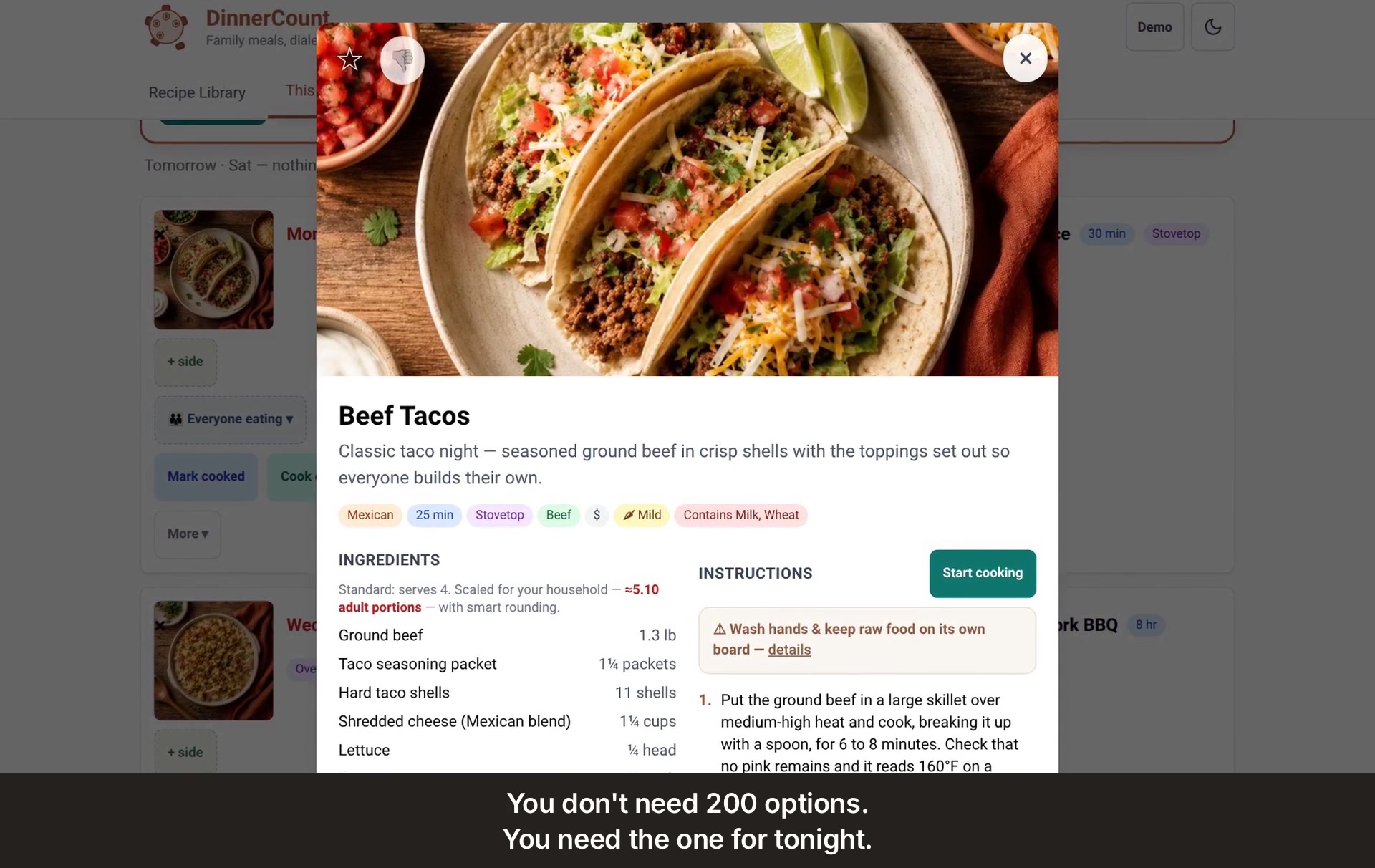
Taco night serves four. Your house isn’t four — it’s two adults, two teenagers and a small one, and one of the teenagers has practice. DinnerCount already knows that’s 4.10 portions tonight instead of 5.10, so the recipe asks for nine shells instead of eleven, and the shopping list follows.
Drag one person’s appetite and watch the household count move. That’s the whole idea. Not calorie targets, not age brackets: you set each person’s appetite once.
Not a search box. Not a million recipes someone else uploaded. Nearly two hundred dinners and breakfasts, fifty-seven sides and a handful of desserts — written in plain English, each with a picture of the dish, ready the minute you open it. Nothing to import, nothing to set up, nothing to clip from a blog.
The time, the method and a $, $$ or $$$ on every card.
Beef from three different dinners adds up into one line — and it tells you how much is for which dinner. The paprika and the chicken broth already in your cupboard aren’t on it. Twenty-three things, sorted by aisle, ready to take to the store.
Build my week fills the spare nights in one tap — the list is built from what lands on them.
Cook mode gives you one big step at a time with the timer already in it. Someone’s out on Thursday — mark it and everything downstream redoes itself. Half of every kitchen argument is just arithmetic, so the conversions are a tab: tablespoons in a stick of butter, nine-by-thirteen when the recipe wants eight-by-eight.
Said exactly, so nothing reads as a trick the first time you meet a lock.
Open it and forty of the recipes are yours to read — thirty dinners and ten sides. Set up your household, plan a week, build the list, move the sliders. Type or paste in your own recipes, and keep a backup file of all of it. No account and no card.
The other two hundred and twenty recipes, and every recipe we add in your first year. Recipes brought in from a link or a photo, and our recipes edited into your version. Every device in your home, with one household that all of them share — so a lost phone isn’t a lost kitchen. And a door to ask us for a recipe you’re missing.
Not a subscription. Nothing renews, no card on file with us, and you buy the cookbook and it’s yours.
There is nothing to cancel.
If it isn’t for you, email within fourteen days and you’ll get your money back. The 2026 edition includes every update for a year from the day you buy.
DinnerCount was built by a dad in Virginia who cooks for five, because the arithmetic of feeding them kept coming out wrong. It’s made by Human Messenger LLC, a small company, and answered by a person at [email protected].
A hundred seconds through every tab, in order.
One email when DinnerCount opens to everyone. Nothing else, ever, and an unsubscribe link in it.
You’ll get one email asking you to confirm. Nothing is sent without that click.
Set up your family and plan a week. No account, no card, nothing to install.
 DinnerCount